Rock - Photogrammetry based Environment Texture
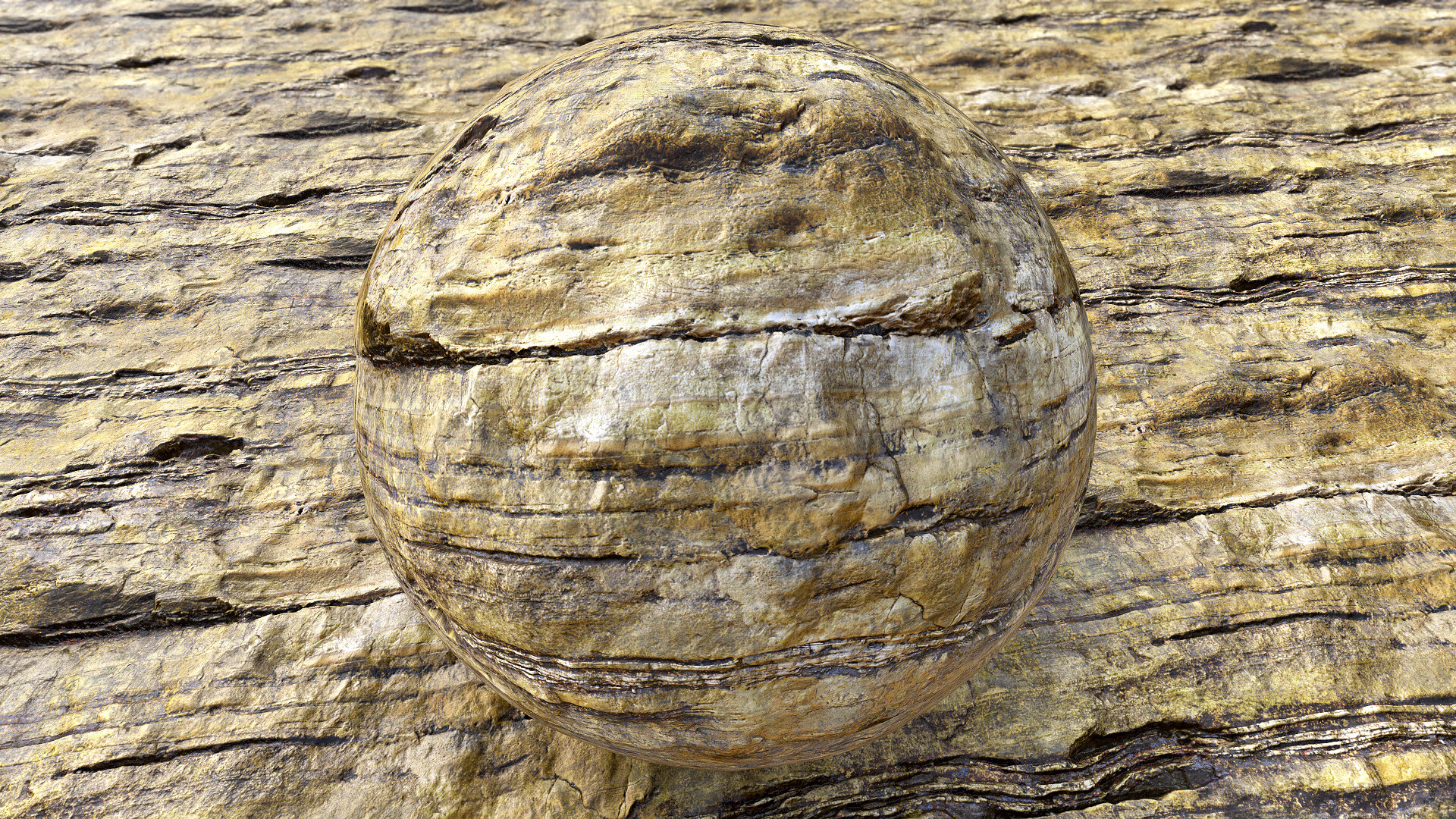
This rock capture was made to compare differences between material baked from decimated lowpoly model and from flat plane-based one with manual positioning. This material is an example of decimated one. The steps were quite simple, I trimmed reconstructed highpoly mesh into area I wanted to be reconstructed and decimated it with the Decimation Tool directly in Zbrush.
UVmapping was done in RizomUV. I am going to present another result, the one based on flat plane with the next material. But I can tell that the big difference is in height map. That one coming from decimated one has more depth and works much better when used for example as sculpting alpha for brushes in Zbrush.


This is my photogrammetry workflow - still experimenting with 'Artomatix' and replaced Photoscan with Metashape (more details regarding to my workflow at: https://www.artstation.com/artwork/K0PYG)

Source location - I took a few series of 'panorama' images from different spots and different height.

Surface details -image taken with my shoe used as a scale reference.

The reference image with the Color Checker included - used to calibrate color and tweak white balance in PhotoLab2. Adding this shot here as might be useful also for those who build materials in substance to pick color values if needed :)
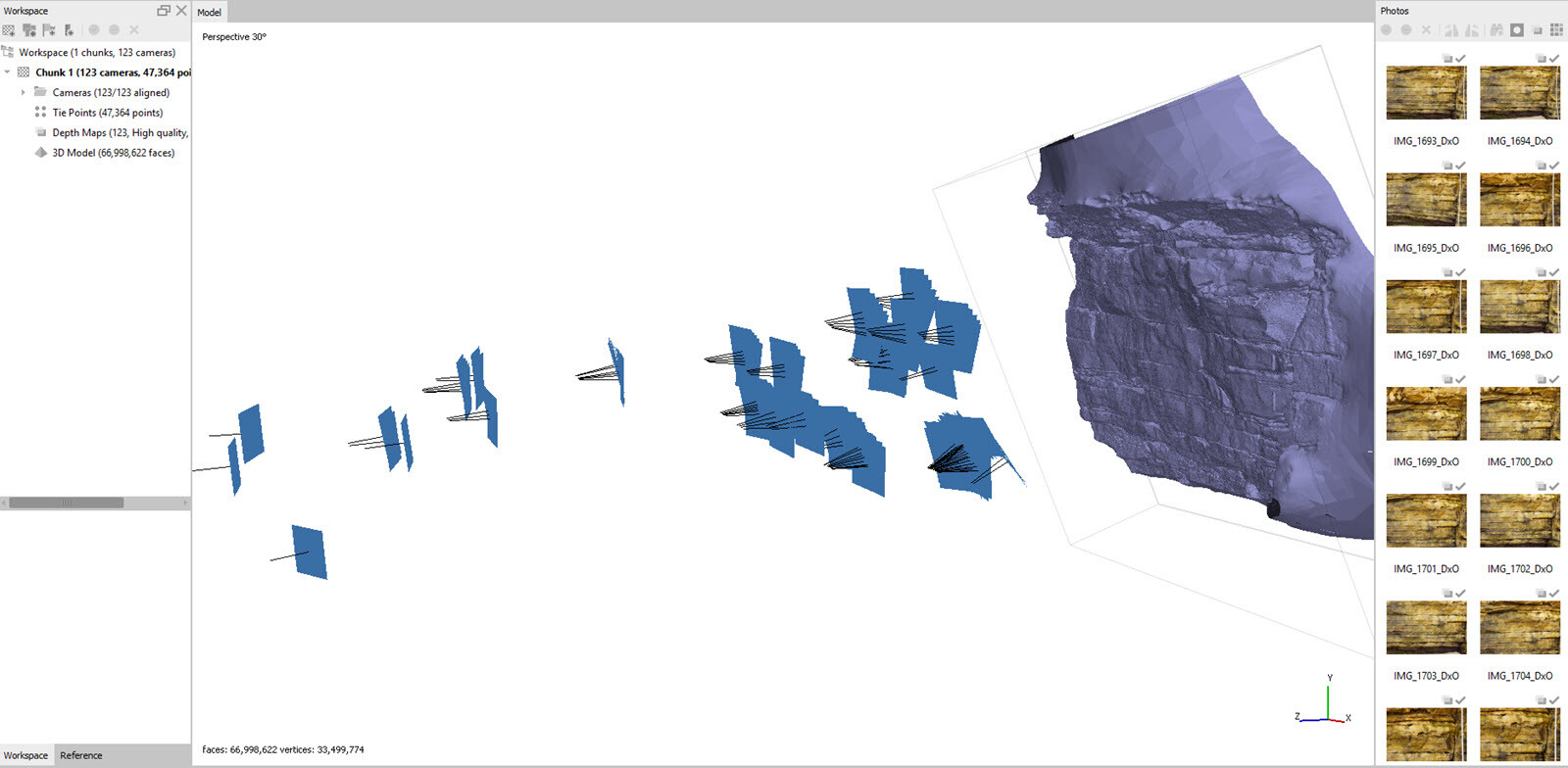
Metashape - surface reconstruction based on 123 images. As you can see I took series of photos from certain points.

Zbrush - lowpoly covetage ofer highpoly - lowpoly was made by decimating part of the highpoly with the Zbrush tool called 'Decimation Master'

ZBrush - steps I made turning the highpoly into the lowpoly using decimation master in ZBrush. I cropped part of the surface for reconstruction and used Zplugin called Decimation Master in Zbrush

This is another lowpoly plane I am going to proceed with in the next material to show the difference between both approaches for lowpoly models.
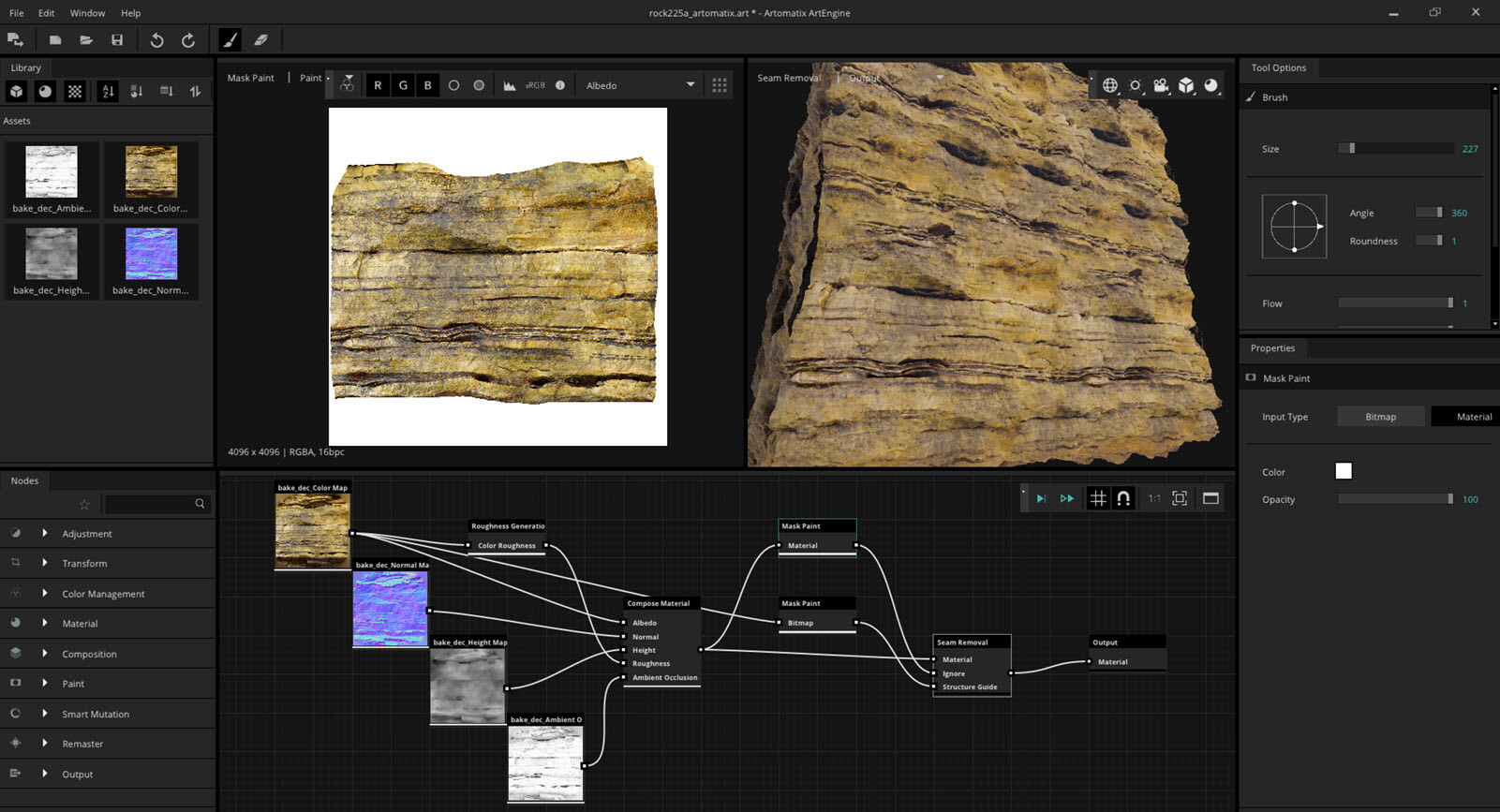
Artomatix - graph I used to remove seams and fix all glitches. In 2D view you can see preview of 'Ignore' mask for the AI while it was dealing with data reconstruction and seam removal

Substance Designer - I used my new technique to remove ambient occlusion shadows. This time to reduce tiling for color patches I also processed equalisation for the main albedo.