Rock - Photogrammetry based Environment Texture
I processed a few more tests with decimation as a way to create a low poly model for baking and can tell it works for sure for flat and solid surfaces but for irregular surfaces it sucks and is a disaster. Decimated geometry based on complex shapes is a mess, not mentioning uvmapping which is almost impossible. This is why I decided to go back to my previous workflow and used standard, square plane. Was even trying to align it with the highpoly model but after I compared results I noticed stretching along the texture itself and finally decided .. to use simple, standard plane and let Artomatix do proper job with the heightmap :)


This is my photogrammetry workflow - still experimenting with 'Artomatix' and replaced Photoscan with Metashape (more details regarding to my workflow at: https://www.artstation.com/artwork/K0PYG)

The source location - Since it was a sunny day, to avoid getting direct shadows on a surface I picked the part of rock which was hidden in a shadow. Since I shot from the distance I decided to set the focal length to 135mm.

The source - surface details with my shoe and ruler used as scale reference

The reference image with the Color Checker included - used to calibrate color and tweak white balance in PhotoLab2. Adding this shot here as might be useful also for those who build materials in substance to pick color values if needed :)

Metashape - surface reconstruction. On this image you can see where I shot from to capture this rock

Metashape - dense cloud preview to show level of reconstruction.

Zbrush - I was also trying to adjust lowpoly model to follow the highpoly surface but in result baked maps were stretched and lines which should be straight were wavy so I decided to use a simple, square one instead

ZBrush - The lowpoly plane I finally decided to use. This one gave me the best results

Artomatix - graph I used to remove seams and fix all glitches. In 2D view you can see preview of 'Ignore' mask for the AI while it was dealing with data reconstruction and seam removal
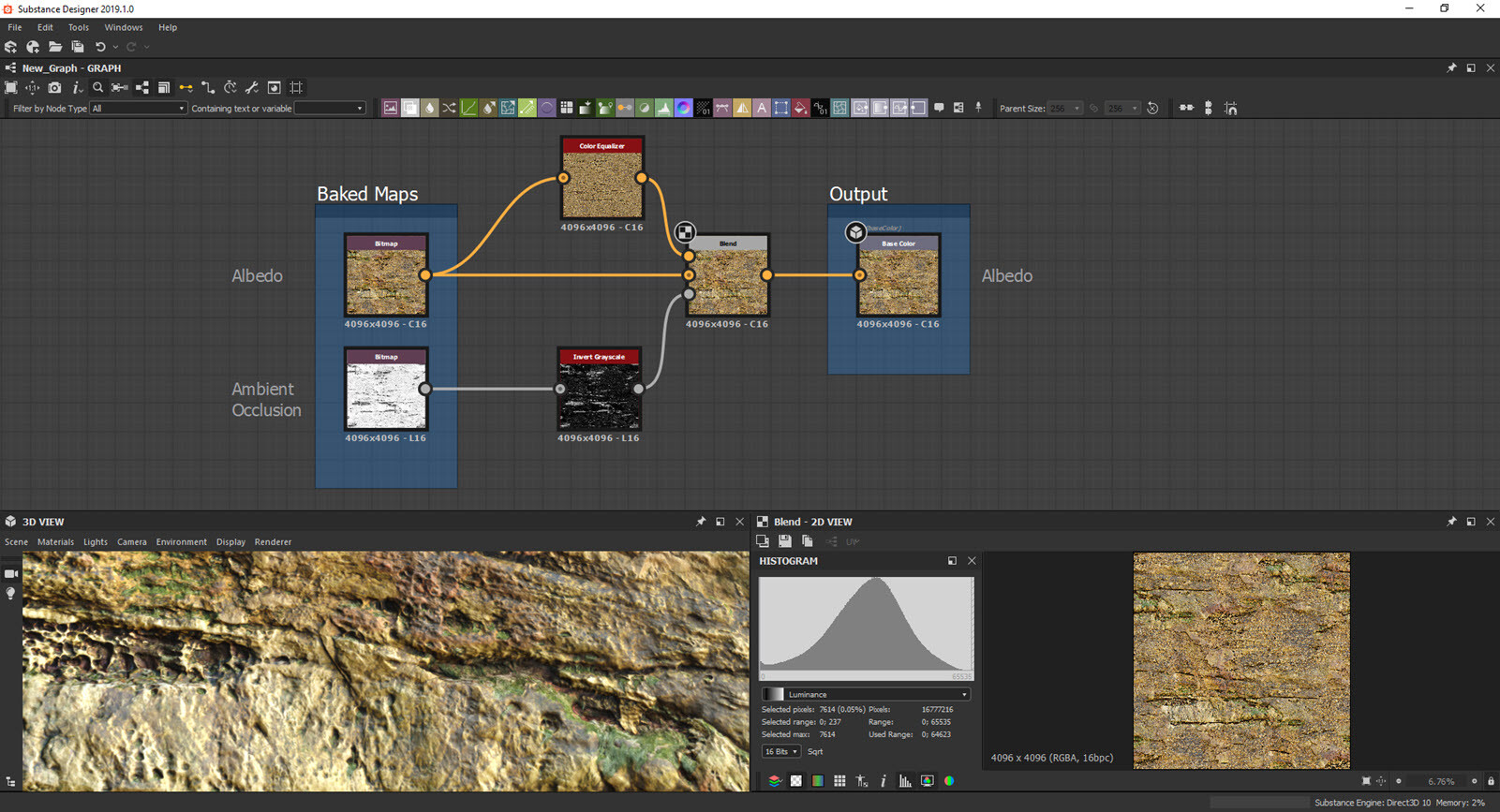
Substance Designer - I used the new way I found recently to remove ambient occlusion shadows.. and so far works quite well.