Rocky Ground - Photogrammetry based Environment Texture
Another surface I turned into environment PBR material. This time its a rocky ground. I followed my standard workflow you can find on my youtube channel: https://www.youtube.com/c/GrzegorzBaranArt
Material was added to my Material Library as 'gb_rockyGround266'
https://gum.co/WJAQy
This one was a bit challenging to scan due to the cliffs height and quite strong wind. This is why image coverage might feel a bit shambolic.
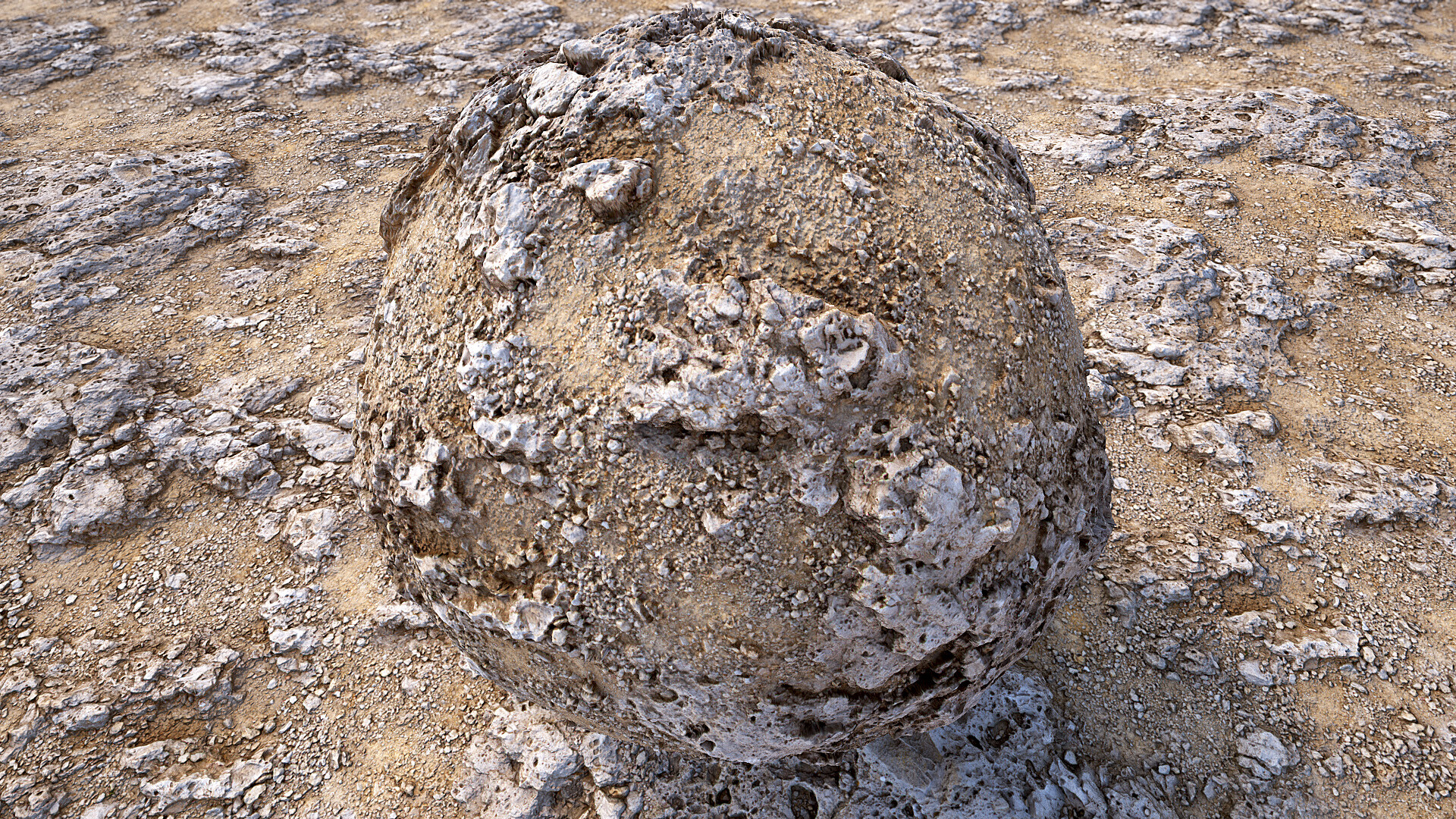

PBR preview: Albedo / Normal / Metalness/ Roughness / AmbientOcclusion
Marmoset Toolbag 4 - tiling preview video

Source location - I stand on the surface I captured

Source location - the surface I captured marked with rulers. As you can see I used a monopod to stabilise the camera
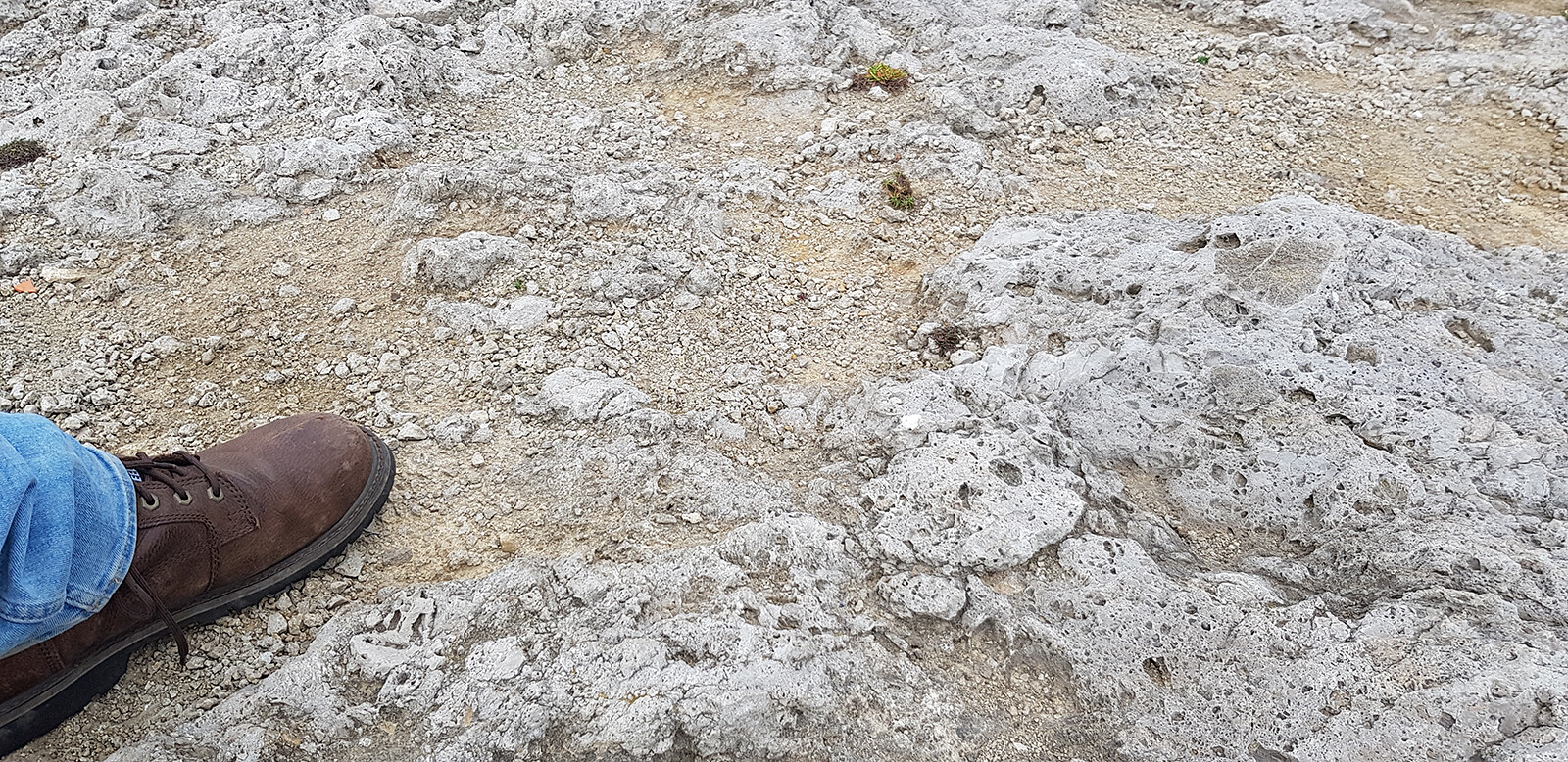
Source location - surface height details with my shoe used as a scale reference

PhotoLab4 - before I used images for reconstruction I processed them in PhotoLab4. I used BLACKS to calm down shadows, reduced noise, set WB, fixed luminocity level and tweaked contrast. This way I was able to get much more from the the images.

Metashape - surface reconstruction. On this you can see the reconstructed surface and camera position when the pictures were taken. Coverage might feel a bit random but it was pretty windy and I had to be really careful to do not fall down.

Metashape - surface reconstruction. Geometry preview. The reconstruction was based on 104 images.

Zbrush - the low poly model coverage for baking in Substance Designer later

ArtEngine - seam removal. I increased the seam removal area to get less noticeable height transition and let the AI to rebuild it. I set the preview on the box to show 2 tiles. This way its easier to identify repetitive elements.
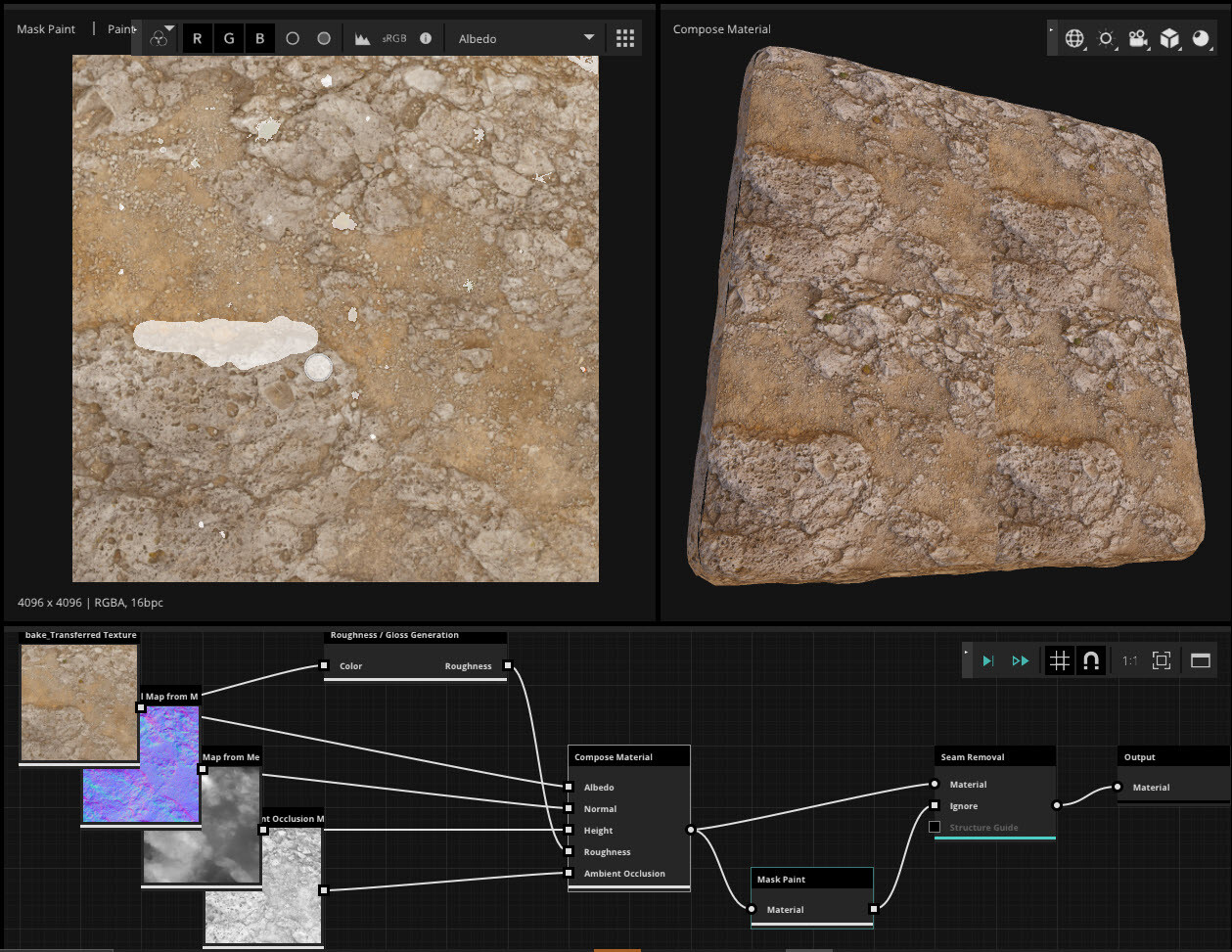
ArtEngine - seam removal 2/3. Removing seam wasnt enough so I used the mask to mark elements of the surface I wanted to be rebuild by the AI. I marked a few plants and a big shape which was way to repetitive. The mask was plugged into the IGNORE input.

ArtEngine - seam removal 3/3.
The final result made by the AI algorithm.

For those interested, the material was added to my material's library:
https://gum.co/WJAQy
as 'gb_rockyGround266'
live preview for 1k texture resolution