Sand - Photogrammetry based Environment Texture
Recently I made another approach to capture sand. For this capture I picked cloudy, windy afternoon. To avoid direct wind I chose a spot behind the dune. Capture was pretty straight forward. As usual I used Metashape for reconstruction, Substance for baking and Artomatix to remove seams and tile the texture. Unfortunately result wasnt good enough. The main reason for this was that I f..d a bit with the camera settings by accident and messed with the albedo. The roughness I generated with Artomatix was rubbish and I had to build one using Substance Designer using already baked and generated data (albedo and roughness). Finally, I received quite nice and useful generic sand material :)


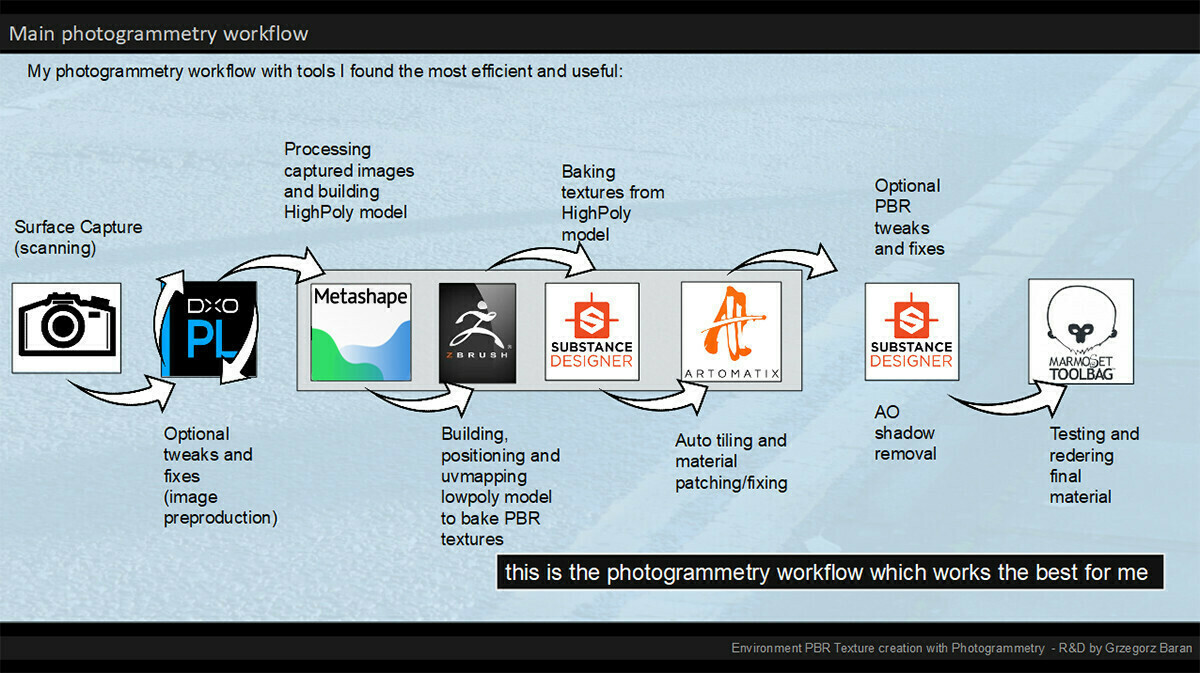
This is my photogrammetry workflow - still experimenting with 'Artomatix' and replaced Photoscan with Metashape (more details regarding to my workflow at: https://www.artstation.com/artwork/K0PYG).

The source location - you can see the weather conditions. Also this shot is a good example of surface destructive capture. It means there is no way to reshoot any area behind as surface was heavily affected by myself moving forward :)

Gif made to show the way I was moving the camera

The source - covered area.
It took me exactly 10 minutes to capture this area. I took 124 images + 1 for color calibration.

The source - source surface details with my shoe, color checker and ruler as scale reference

The reference image with the Color Checker included - used to calibrate color and tweak white balance in PhotoLab2

Photolab2 - RAW Image tweaking based on Color Checker data

Metashape-surface reconstruction in Agisoft Metashape - based on 124 images. It was enough data to cover 100.000.000 poly but due to FBX limits I decimated the result to 66mln.

Metashape - surface reconstruction details

ZBrush - builiding lowpoly model for baking. Captured ruler is very useful as scale reference and helps to define lowpoly-model size. In this case I wanted to cover 180cm x 180cm of real space.

Substance designer - texture baking
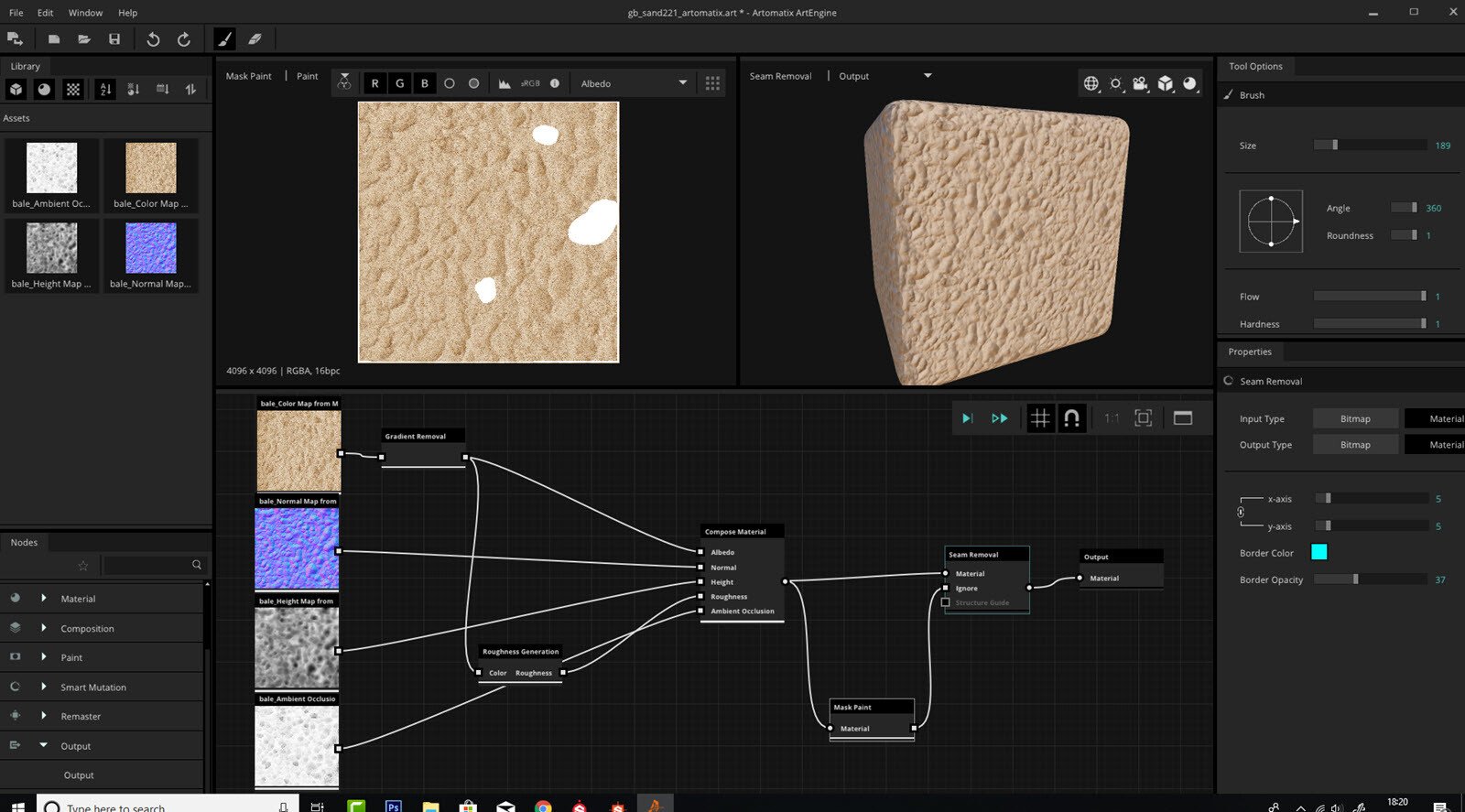
Artomatix - seam removal and areal tweaks. With artomatix this part is super fast and super accurate. In 1 minute I get nicely tiled high quality set of textures

Substance Designer tweaks - I used baked Ambient Occlusion data with the AO Cancellation node to remove shadows fom Albedo map. Also as I know exact physical RGB value for sand I tweaked albedo to match it and did some equalisation to calm color down

Substance Designer - roughness . Since I wasnt happy with generated roughness I used it together with Albedo in substance to create the one I like. Here is a graph I built.