Block Paving - Photogrammetry based Environment Texture
Another scan I took practicing photogrammetry captures with the monopod. I capture generic block paving. To avoid sun influence I picked part hidden in shadow. Same as before, instead of 2x2 meters I reconstructed the area within 180x180cm. As a scale reference I used my plastic folding ruler. I think that coverage gives me the best results so far and if nothing changes I might stick to it in long term.
To cover that area I captured 113 images and used them to reconstruct it as 75mln poly dense 3D geometry. This time I set the cameras focal length to 27mm, what with aperture f/8 and ISO 100 gave me the average exposure time of 1/30sec.


This is my photogrammetry workflow (more details at: https://www.artstation.com/artwork/K0PYG)

Source - captured area

Source - surface details with my shoe, ruler and monopod's leg as scale reference
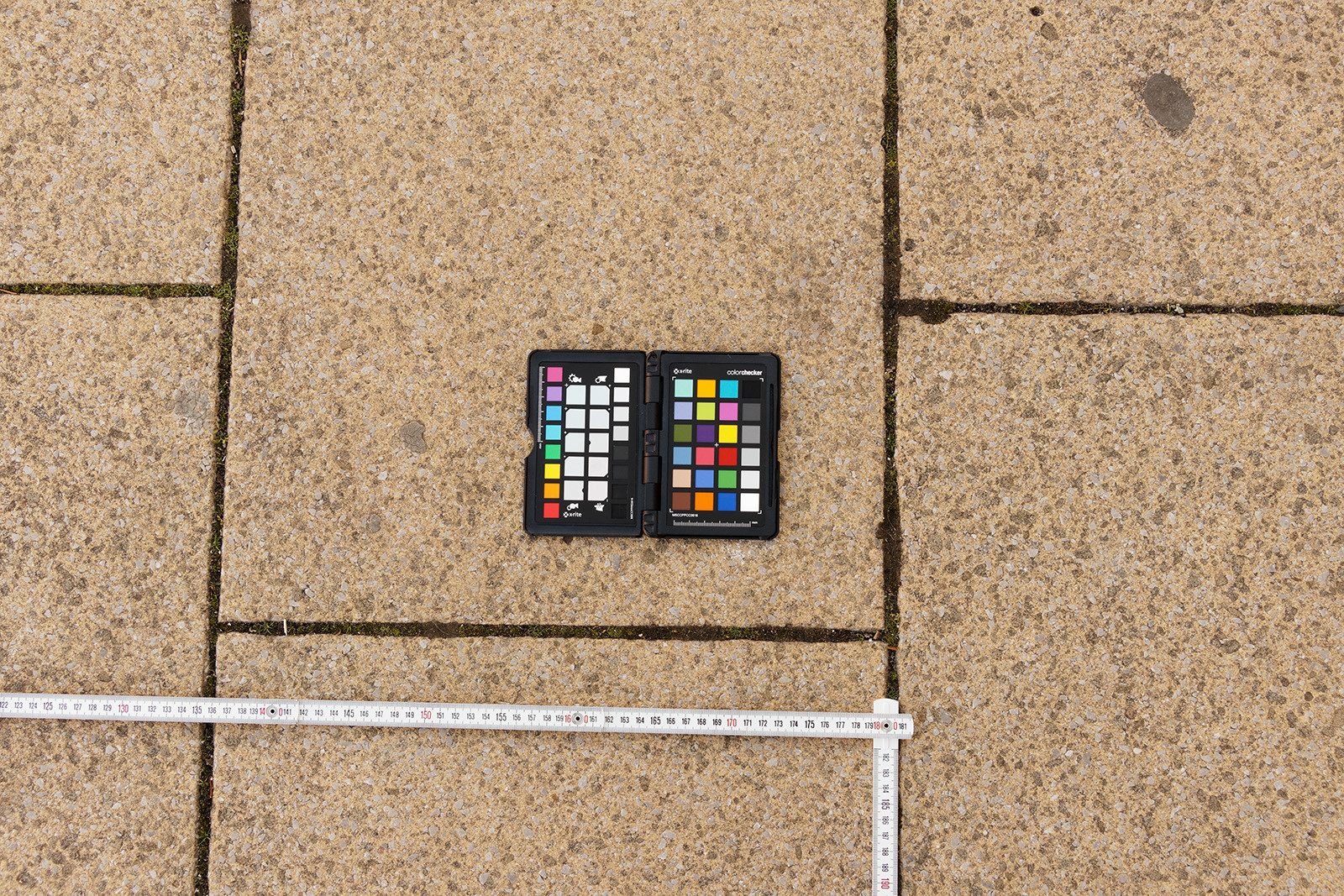
Reference image with Color Checker I used to calibrate albedo.
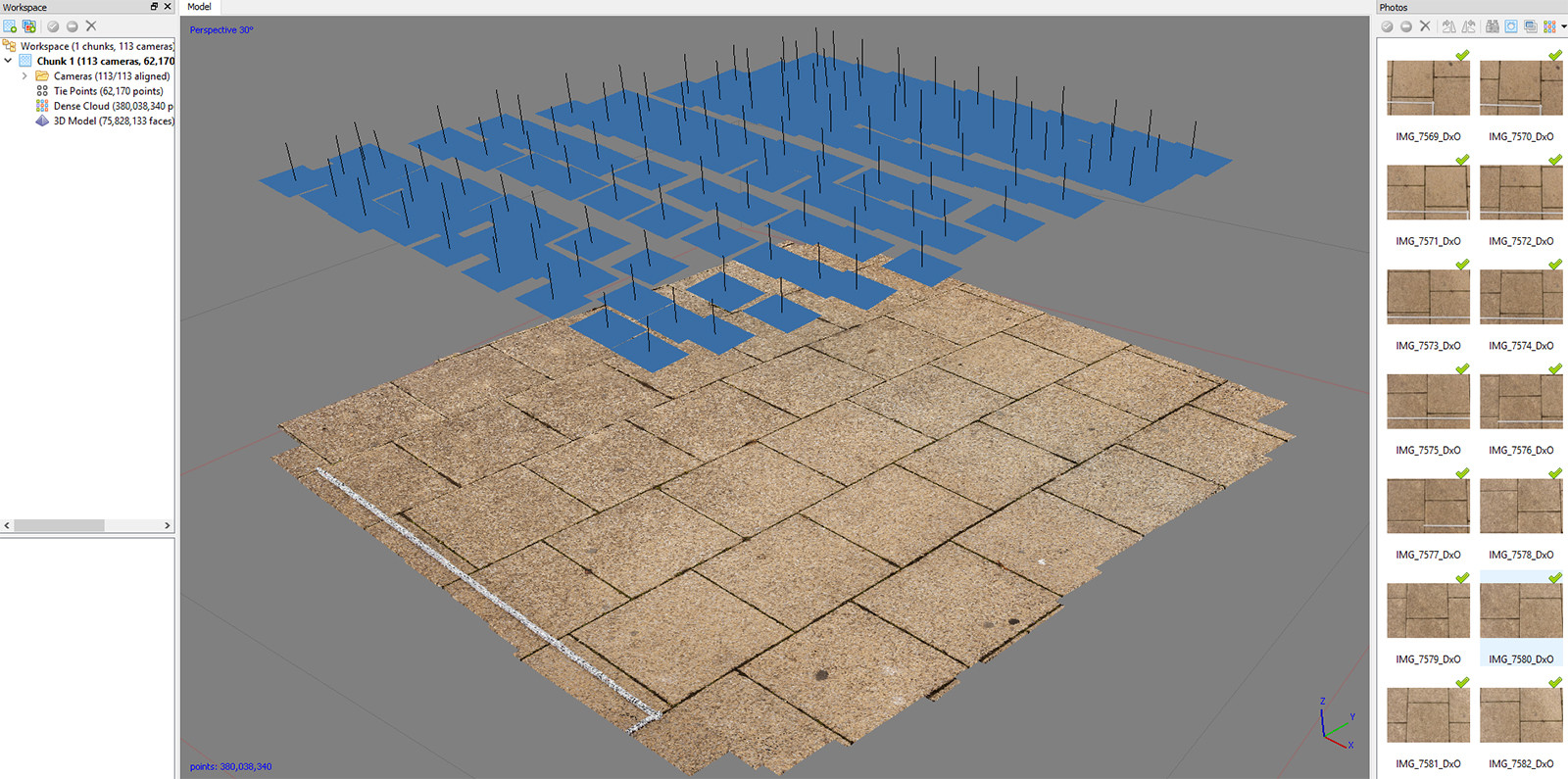
Camera positions and reconstruction in Photoscan based on 113 images
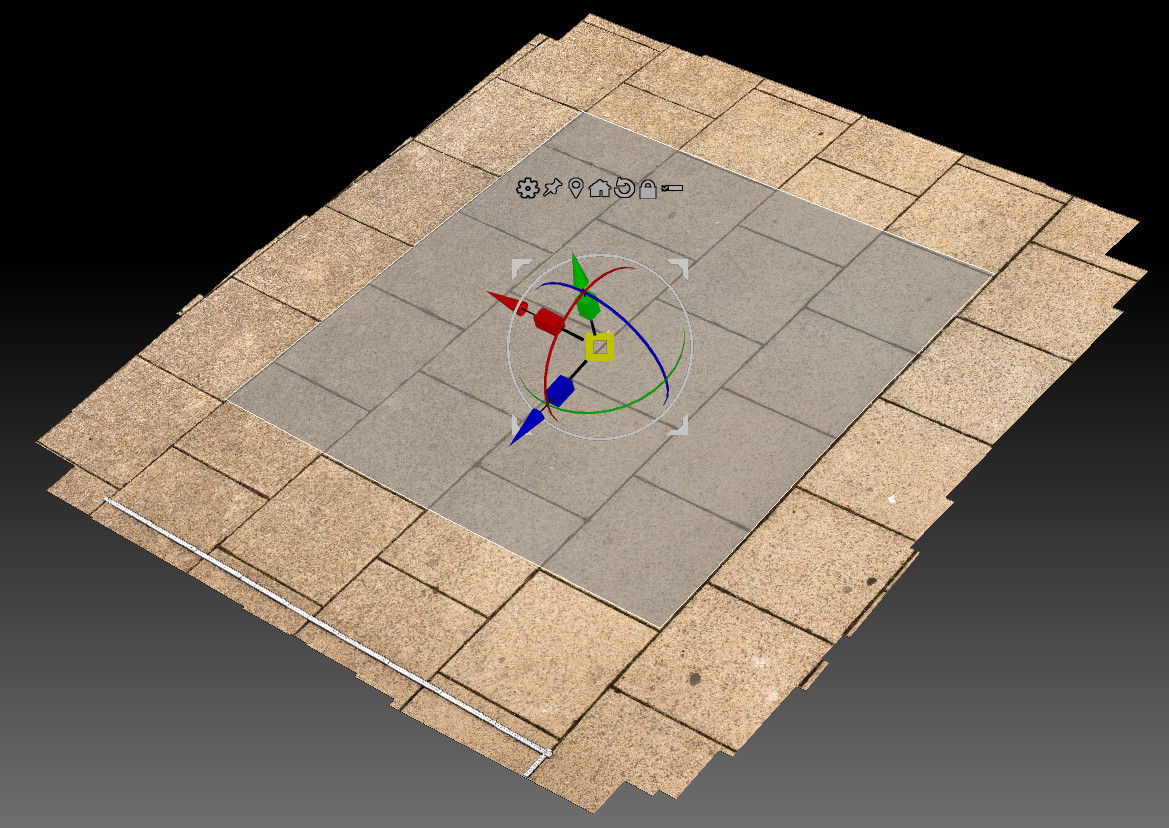
Lowpoly over highpoly surface coverage in Zbrush (with the ruler visible). To make seam removal part easier I positioned the low poly plane along the edges in a way which should support tiling.

Puzzle solving in Substance Painter ;) - manual seam removal with the 'Clone Tool' before and after.
1k material preview